

Category pages are more than simply a collection of links to products in your online store. They’re a powerful component of search engine optimization (SEO), fueling search visibility and helping customers find your website. These hard-working pages also drive sales, guiding visitors to the products they’re looking for.
You likely already have category pages on your site, but are they generating tangible results? Follow along as I share top strategies for ecommerce category page SEO. I’ll explain the purpose and value of category pages for search rankings and outline best practices to improve your online visibility and conversion rates.
What Are Category Pages?
Category pages provide links to products with common themes or attributes, funneling customers to the items they’re most interested in. If you visit REI’s online store, you’ll see category pages for climbing gear, sleeping bags, and kids’ clothing, saving users from sifting through unrelated products.
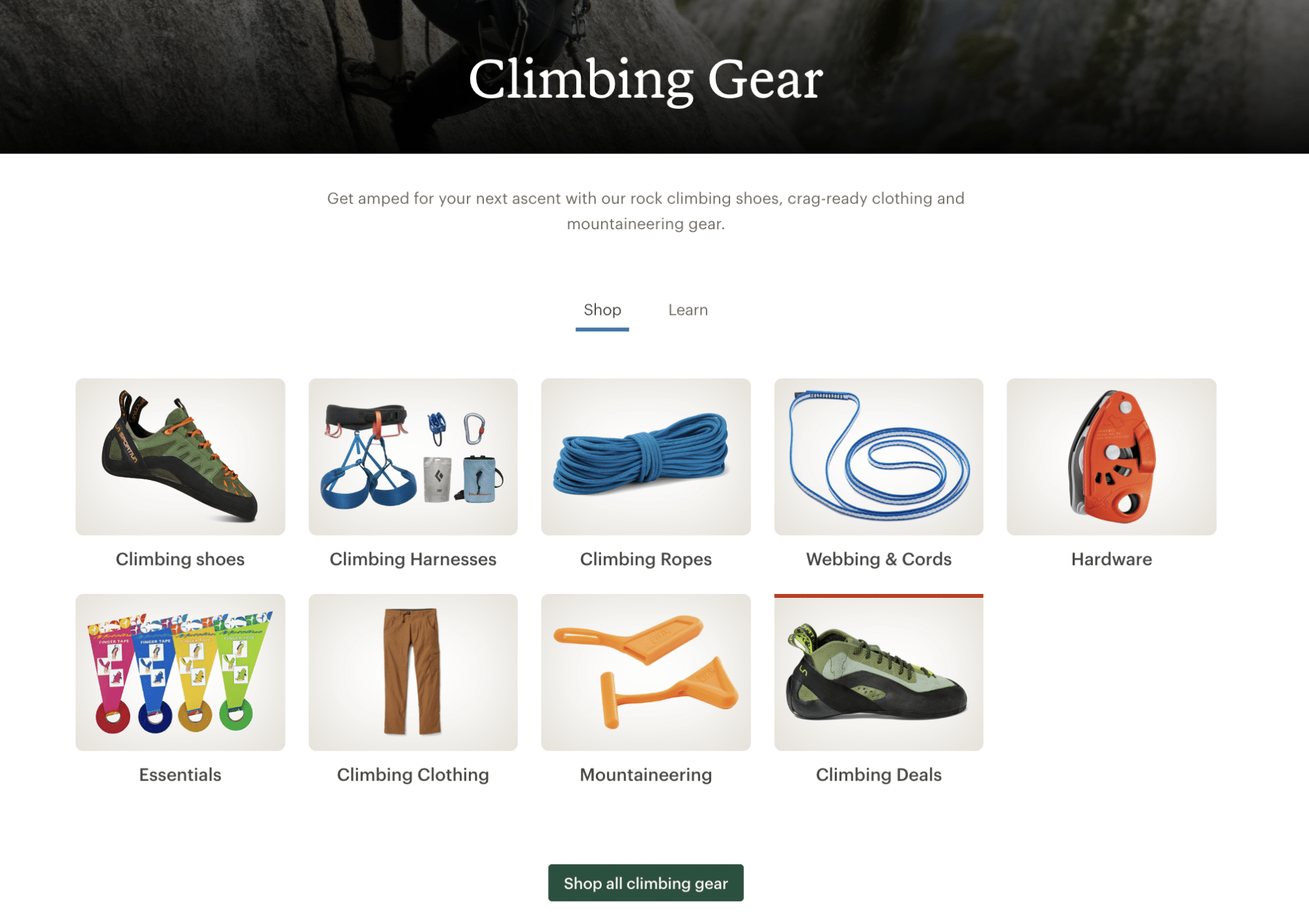
Category pages can be broad or specific, depending on your inventory and audience preferences. REI understands that some customers shop by brand, for example, and has category pages for hundreds of brands.
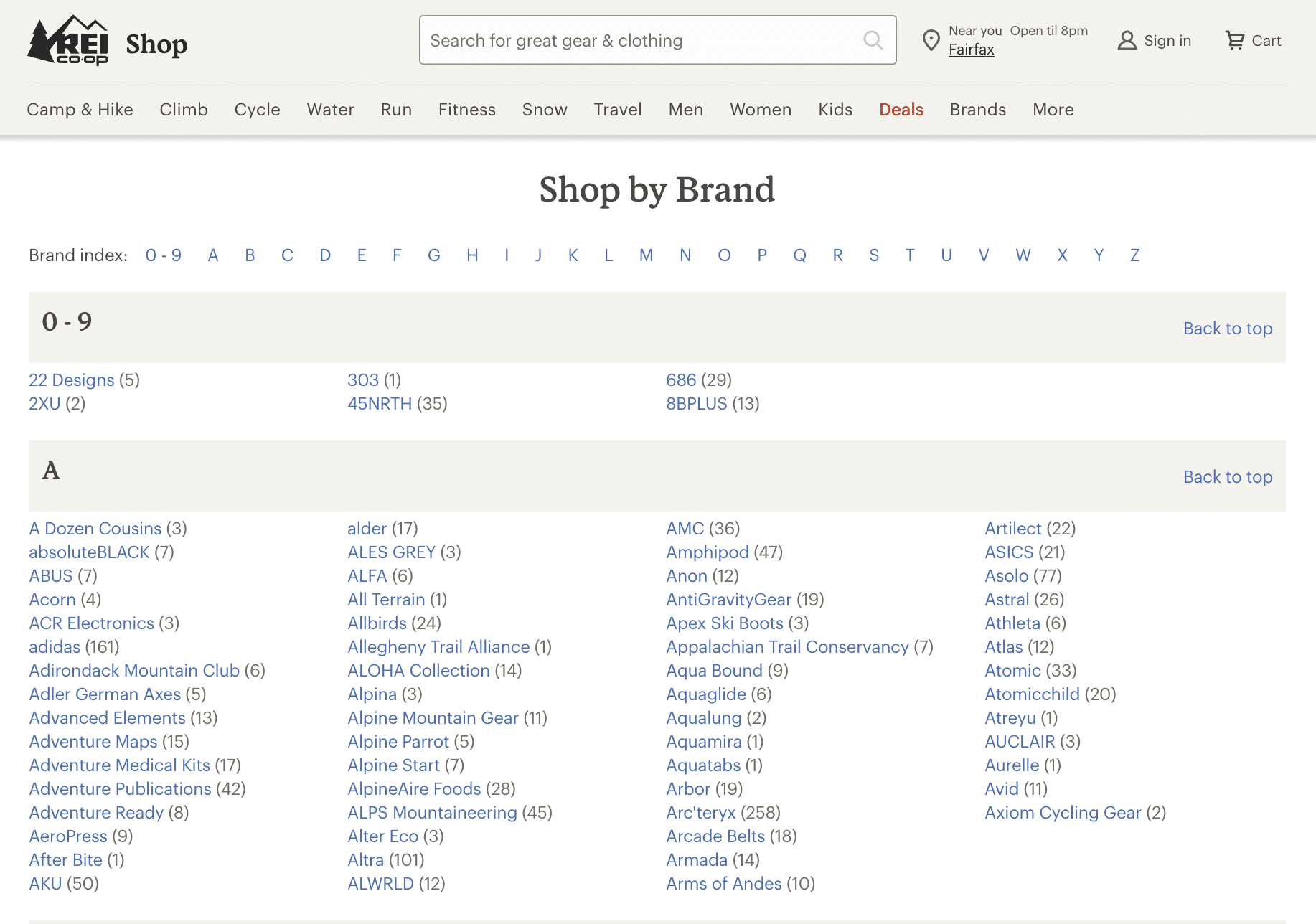
Category pages shape how search engines interpret your site’s structure and how easily shoppers navigate it, which directly affects your search visibility and helps customers find your website.
Ecommerce sites use a few related page types that are easy to confuse. This table below shows how each one differs:
| Page type | Purpose | Core content | Example |
| Category page (category listing page) | Helps shoppers navigate to the right subcategory or product type | Subcategory tiles, breadcrumb trail, brief category description | A “Women’s Shoes” page linking to “Sneakers,” “Boots,” and “Sandals” |
| Product listing page (PLP) | Helps shoppers browse and filter individual products | Product grid, filters, sort options | A “Women’s Sneakers” page showing every sneaker in stock |
| Collection page | Groups products around a theme, season, or promotion instead of a permanent catalog category | Curated product set, editorial framing | A “Back-to-School Essentials” or “Under $50” page |
| Brand page | Showcases every product from one brand | Brand story plus that brand’s full catalog | A dedicated shop-in-shop page for a single footwear brand |
Types of Product Category Pages
There are two types of SEO ecommerce category pages:
- Category listing pages are high-level category pages linking to subcategories. They give an overview of different product types so customers can begin narrowing their searches to specific item groups.
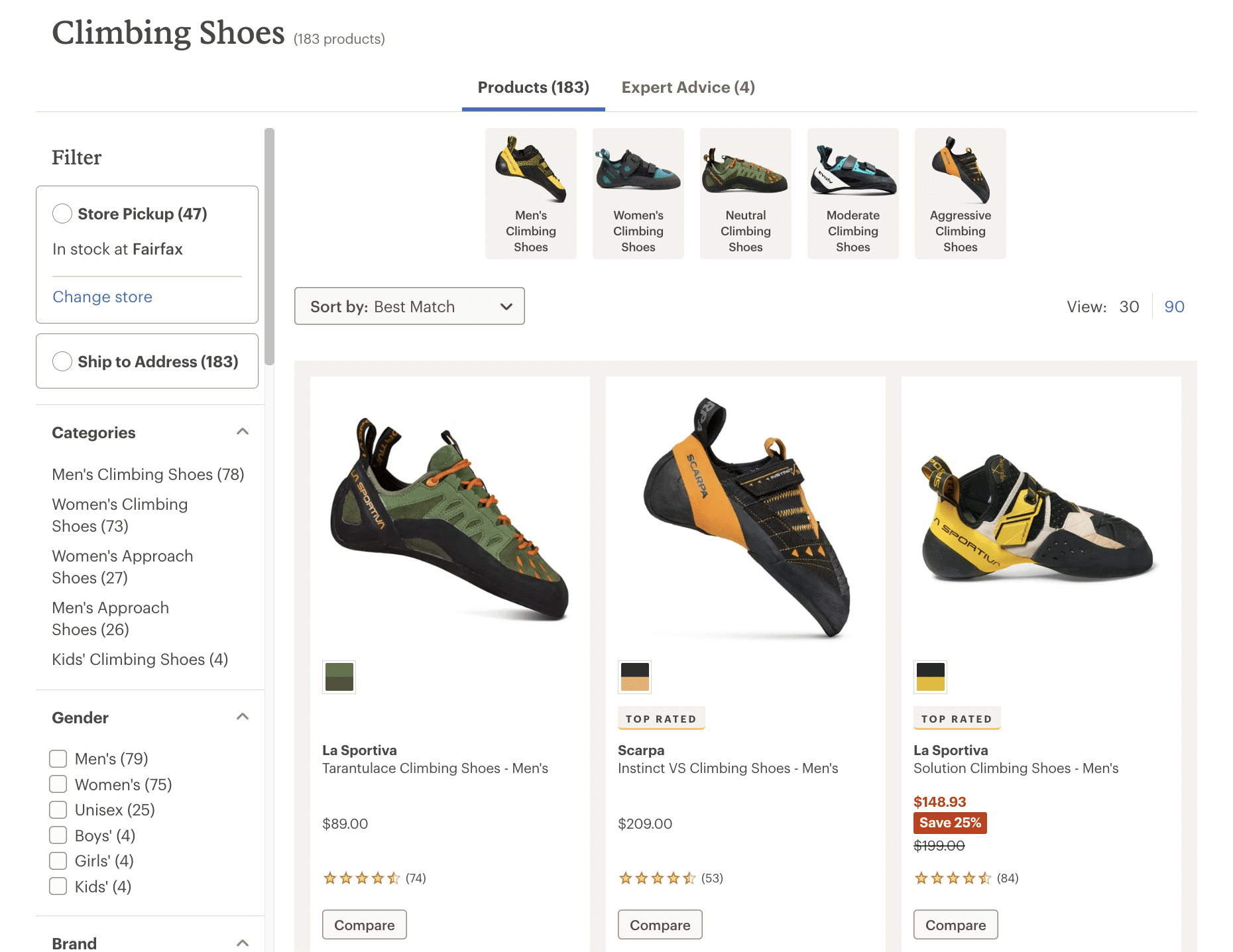
- Product listing pages (PLPs) sit deeper in the site hierarchy and lead customers directly to individual product pages. Users can access all available items in a category to browse and compare products.
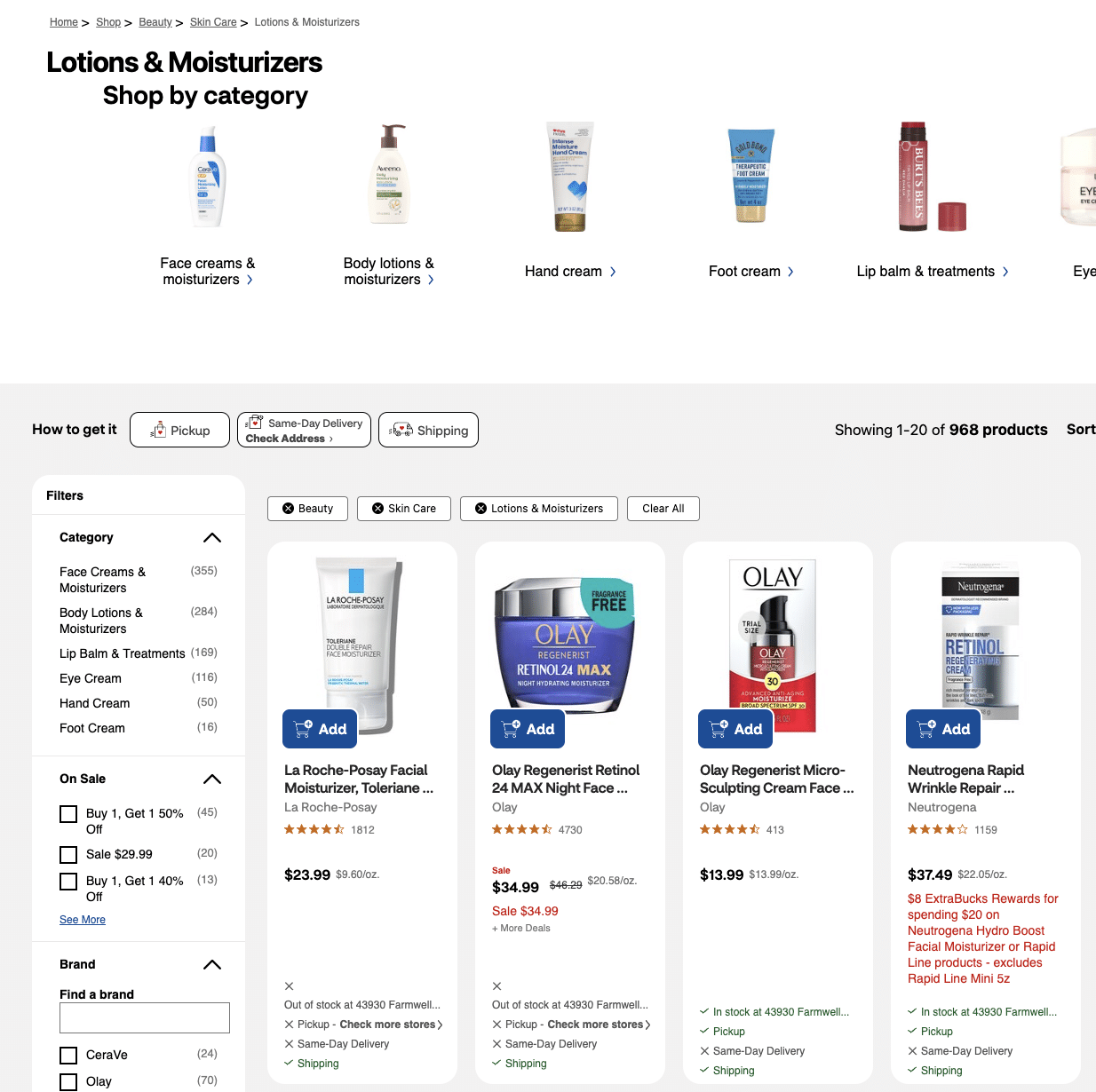
CVS Pharmacy uses both types of category pages. For example, the category listing page for lotions and moisturizers leads customers to individual product listing pages for face creams, body lotions, hand creams, and foot creams.
The Value of Category Pages for Ecommerce SEO
While category pages are great for user experience and conversions, they’re also critical for lifting your site in search rankings. When you implement ecommerce category page best practices, you:
- Give your site a logical structure, making it easier for search engines to crawl and index your pages.
- Integrate important keywords into your ecommerce store, increasing the number of short and long-tail queries you can rank for.
- Link from top-level category pages to pages deeper in the hierarchy, ensuring search engines discover new pages and distribute page authority for ranking.
- Engage users so they stay on your site longer, showing Google that your content is relevant.
- Give AI systems the structure they need to match your products with intent-based searches.
Well-organized category pages, with clear hierarchy and consistent naming, help answer engine optimization (AEO) the same way they help traditional SEO. They make it obvious what your page covers and how it relates to the products beneath it.
Ecommerce Category Page Best Practices
Below, I’ve put together my top tips for ecommerce category page SEO. By implementing these strategies, you can get your category pages working effectively for your online store.
Identify and Use Long-Tail Categories
Use SEO category pages to incorporate high-intent, long-tail keywords into your site. These search terms attract customers looking for specific items and who are more likely to convert. A kitchen supply store might target “cookware” as a general keyword and use category pages to rank for related long-tail keywords like “ceramic nonstick cookware” or “stainless steel cookware.”
To identify potential long-tail keywords, you can:
- Enter a broad keyword into an ecommerce SEO tool such as Ahrefs, Semrush, or Moz to find related terms.
- Start typing a search term into Google or Amazon and review the autocomplete suggestions that pop up.
- Analyze user behavior on your website to see what keywords bring customers to your site and what pages they look at next.
- Track recurring questions fielded by your customer service teams. If they’re often asked about moisturizers with vitamin C, you may need a category page targeting that term.
- Review competing ecommerce stores to see what categories they use on their websites.
Build Out an Intuitive Structure
The way you organize your category pages impacts SEO. Don’t simply build a page and throw it onto your website, as that makes it difficult for search engines to understand context. Ideally, you should have a hierarchy that features broad categories at the top and leads to related subcategories.
There are a few SEO benefits to this type of site structure.
- Search engines learn how pages are related and which ones are more important, helping with crawling and indexing.
- Clusters of thematic content help you strategically target keywords and establish topical authority.
- Higher-ranking parent pages can pass link equity to child pages, improving rankings.
- Users can easily find related products, reducing frustration and enhancing dwell time.
To organize your category pages, group keywords together in a logical way and link between general categories and subcategories. Submit a sitemap to search engines to help them discover and crawl your pages.
Establish Clear Navigation
The goal of category pages is to help customers effortlessly navigate to the products they want so they’re more likely to explore. Their navigation options should be clear, and they shouldn’t have to take unnecessary steps such as hitting the browser’s back button or returning to the homepage to get around your site.
Showcase general categories on your main navigation so users can start their search right away. You can also implement an accordion panel with the subcategories collapsed, keeping the interface clean but highly functional. Breadcrumb navigation and internal search engines also help users quickly find the right products.
Subcategory tiles should be the first thing a shopper sees on a category page, above the fold and ahead of any promotional banner. Baymard Institute’s usability testing has found that 76% of ecommerce sites don’t feature subcategories as the primary content on these pages, which it flags as the single most common navigation mistake it sees in category-page testing. Label tiles the way shoppers talk, not the way your inventory system does (“Running Shoes” instead of an internal SKU category name), and use a photo that identifies the actual product rather than a decorative lifestyle shot. Once a category grows past roughly 20 subcategory tiles, group them under section headings so shoppers aren’t scanning a wall of options.
Provide Useful Content
A collection of links on a category page can be useful, but not necessarily interesting. Provide some helpful content to guide customers along their journey. From an SEO perspective, rich content gives search engines context about the page’s topic, helping them to accurately match your category pages with relevant queries.
I like how Proctor Silex uses content to introduce its coffee maker category page.
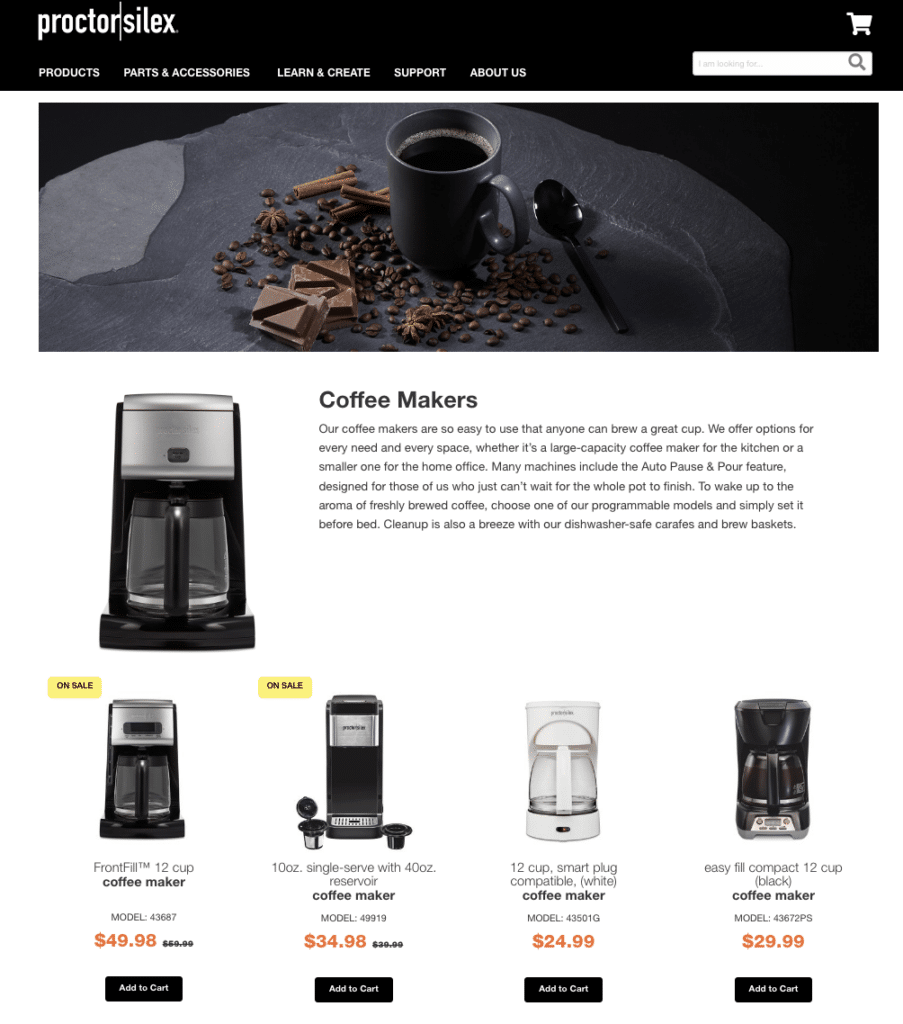
There’s a brief but compelling paragraph highlighting key product features. Depending on your niche, you might add FAQs, short explainer videos, and links to buying guides. Don’t go overboard and clutter the page, but adding concise and helpful information can benefit your ecommerce content marketing efforts.
Create Well-Written Copy
Ecommerce content should be engaging and invite users to browse your site further. Include keywords, but don’t unnaturally shoehorn them in. Take time to create people-first content that’s geared toward human readers.
Aim to create copy that is:
- Polished and professional.
- Neatly formatted and easy to read.
- Aligned with your brand voice to build familiarity and trust with your audience.
- Crafted in an appropriate tone to resonate with readers.
Add Structured Data
Structured data is another key element of technical SEO for ecommerce category pages. Also known as schema markup, this code tells search engines what different pieces of content on your web page mean.
While structured data doesn’t directly influence your rankings or AI citations, it does enable search engines to create rich snippets that can encourage clicks. Images, prices, and star ratings make your snippet stand out in the search engine results pages (SERPs) and draw attention to your web page.
Category pages generally call for a couple of specific schema types rather than one generic tag. ItemList schema tells search engines this page represents a curated group of products (the category itself), while AggregateRating schema surfaces the average star rating across the category so it can appear directly in your search snippet. Visit the Schema.org website for the full list of schema types, and add the appropriate product schema to your HTML. Once it’s live, check your work with Google’s Rich Results Test to confirm your markup is eligible for rich results, or the Schema Markup Validator for a general syntax check against the schema.org standard.
Integrate Links To Relevant Categories
Customers usually land on a site in search of a specific product, but you can encourage them to discover other items by recommending related product categories. Someone looking for children’s parkas might be prompted to browse boots or scarves if the option is clear and accessible.
If you anticipate customer needs, you can improve time spent on the site and demonstrate your store’s relevance for SEO ranking purposes. You could also boost your conversions and average order value.
To decide which categories to link to, analyze audience behavior on your website and see what kinds of products users tend to look at together. You can also link within category hierarchies or to product categories that often go together. Use headers such as “Related Products,” “Customers Also Viewed,” or “You Might Be Interested In” to capture attention.
Showcase Reviews
According to a TrustPilot study, 89% of consumers read reviews as part of their buying journey. Online shoppers, in particular, want reassurance that they’re purchasing quality products from credible businesses.
Adding social proof to your category pages is an easy way to highlight your top-rated products and give customers confidence in proceeding with their purchases. Consider adding aggregate star ratings to each product listed on the category page to encourage users to click through to view the item. In a separate block, you can also showcase reviews of high-rated products as recommendations.
Don’t forget to implement product page SEO to encourage shoppers to purchase once they click through to individual product descriptions.
Optimize Title Tags and H1s
When you integrate primary keywords into title tags and H1s, you show search engines the relevancy of your category pages for different queries. The H1 is the main header on your category page and should accurately describe the contents so customers know they’ve landed in the right place. “Women’s Nike Clothing” or “Living Room Furniture Sets” are typical category page H1s.
Search engines often use title tags as the clickable headline in a search snippet. Craft a compelling title tag that encourages clicks and sends traffic to your ecommerce store, but keep it shorter than 60 characters. You could add your brand name to boost visibility, use a verb like “shop” or “buy” to motivate action, or highlight offers such as free delivery. Examples of effective title tags are “Merrell Hiking Shoes & Boots – DICK’S Sporting Goods” and “Hiking Shoes | Best Prices at DICK’S.”
Optimize Your Meta Description
Category pages need a compelling meta description too, separate from the title tag work above. Keep it under 160 characters so search engines don’t cut it off in the results, and write it like a short pitch: mention the products the page covers along with something that motivates a click, like free shipping, a return policy, or a current promotion. A meta description doesn’t directly influence your rankings, but a strong one earns more clicks from the ranking position you’ve already worked to get.
Systematize URL Structure
Enhance your category page SEO by using simple, readable URLs. Try to leverage keywords and reflect your site hierarchy. For example, if you have a category listing page for pet food that leads to a product listing page for dry dog food, you might create the following URLs:
- example.com/pet-food
- example.com/pet-food/dry-dog-food
This type of construction benefits both search engines and users. The URLs describe the content of the category page and where it’s located in your site hierarchy. They also look trustworthy and help encourage clicks. To optimize URLs:
- Keep them brief but descriptive.
- Use concise keywords.
- Separate words with hyphens.
- Avoid using special characters.
- Use lowercase.
Many category pages let shoppers filter by size, color, price, brand, or rating, and every filter combination can generate its own URL. That’s useful for a shopper narrowing down a search, but left unmanaged, it creates hundreds of near-duplicate pages that compete with each other for the same rankings and waste the crawl budget search engines have allotted to your site.
Decide upfront which filtered URLs actually deserve to rank. A filter that surfaces a different audience or product set, like “men’s” versus “women’s,” is often worth its own indexable page. A filter that narrows an existing page, like sorting by price or selecting a single size, usually isn’t. For the filters you don’t want indexed, block them from crawling in your robots.txt file, and use a self-referencing canonical tag on the filtered version to point back at the main category page. Google’s own guidance on faceted navigation covers the specific parameter and URL-structure choices that make this easier to maintain as your catalog grows.
Paginated category pages (page 2, page 3, and beyond) deserve the same attention. Google stopped using the rel=”next” and rel=”prev” tags to understand pagination back in 2019, so don’t rely on them. Instead, make sure your “next page” and “previous page” controls are real, crawlable links, not JavaScript-only buttons, and give each paginated page its own self-referencing canonical tag rather than pointing every page back to page one. Each paginated page can then rank on its own for the products it actually contains.
Include Image Alt Text
Finally, as part of your on-page SEO efforts, optimize the images on your category pages with alt text. This improves accessibility and helps search engines understand the context of an image. When crafting alt text:
- Incorporate a keyword, but don’t repeat it.
- Be descriptive and mention color, size, brand, and other important features.
- Avoid superlatives and subjective language such as “best” or “pretty.”
- Avoid using “photo of,” as this is redundant.
Watch Your Rankings Climb
Ecommerce category page SEO can improve traffic and conversions, working most effectively as part of an overall strategy. Our ecommerce SEO company can help with site audits, link building, content creation, and all aspects of on-page, off-page, and technical optimization. Reach out for a free consultation and learn how partnering with Victorious can turn your website into a thriving ecommerce powerhouse.
Frequently Asked Questions About Category Page SEO
How many products should a category page have?
Baymard Institute’s usability research suggests a practical floor: a subcategory generally needs at least 10 products to justify its own page, and most sites work well with 10 to 15 top-level categories, each holding up to 10 to 15 subcategories. Below that, a subcategory page tends to read as thin to shoppers and search engines alike, so merge small subcategories until they clear that threshold.
Should category pages be indexed?
Index the category and subcategory pages that serve a real shopper query and carry unique content. That’s most of your top-level and subcategory pages. Keep the versions generated by filters and sorting out of the index, since those create near-duplicate URLs that dilute the ranking signals your real category pages need.
How much content should a category page have?
There’s no fixed word count. Add enough copy to answer a shopper’s obvious questions and give search engines context about what the page covers: a sentence or two for a niche subcategory, a few paragraphs for a competitive head-term category. Category pages with nothing but product tiles and no supporting content tend to struggle to rank for competitive terms.
Do category pages need unique content?
Yes, at least at the top level. Reusing the same paragraph across multiple category pages, or pulling boilerplate straight from your product descriptions, creates the kind of duplicate content that leads to keyword cannibalization, and it gives search engines no reason to rank one page over another. Write copy specific to what makes that category and its products distinct.