

Keywords are essential to a comprehensive search engine optimization (SEO) strategy, and your marketing strategy overall. If you want to connect with prospects when they’re prepared to make a purchase, you need to target the right words and phrases associated with that intent.
But how can you figure out what those keywords are?
In this article, we’ll help you uncover which keywords are driving the most traffic to your pages and which keywords are associated with high conversion rates.
What Are High Converting Keywords?
High-converting keywords are those that drive notably high conversion rates on web pages. Often thought of in terms of pay-per-click (PPC) campaigns, top converting keywords are also a valuable part of a comprehensive SEO strategy.
High converting keywords indicate that your content aligns with the search intent of the keyword and that your offer aligns with where your site visitors are in the customer journey.
Because site owners tend to measure the success of a web page by the number of conversions it drives, understanding which keywords outperform others is a critical facet of knowing your customers and providing them with content that meets their needs better than anyone else’s does. And “converting” doesn’t only mean a purchase: a newsletter signup, a template download, or a demo request are all conversions worth optimizing for, depending on the goal of the page. This can translate to measurable and repeatable success in your SEO and marketing efforts.
This article focuses on a specific angle: finding keywords that are already proven to convert, using data from your own site. If you’re starting from scratch and want to identify promising keywords before you have that data, read our companion piece on high-intent keywords, which covers the full search-intent framework and a research-driven approach to finding them.
Recommended Reading
- How To Do Keyword Research: A Step-by-Step Guide to SEO Keywords
- Search Intent: Everything You Need To Know About Search Intent Optimization
- How To Build Keyword Groups for a More Robust SEO Strategy
- Using High Intent Keywords To Drive Buyers to Your Site
- How To Find Question Keywords that Drive High-Quality Traffic
- A Beginner’s Guide to Keyword Difficulty (Plus Tips for Success)
- Long-Tail Keywords and Why They Matter
- Keyword Research Tools To Kickstart SEO
Find Your Top Converting Keywords
There are two ways to think about top converting keywords:
- The keywords that get people to click through from SERPs.
- The keywords that get people to perform a desired action.
Both of these types of keywords have value. The first one helps you drive organic traffic to your website. The second one helps you convert a site visitor into a customer. Identifying these keywords is simple by using two free tools: Google Search Console and Google Analytics.
Pinpoint Keywords Driving the Most Traffic With Google Search Console
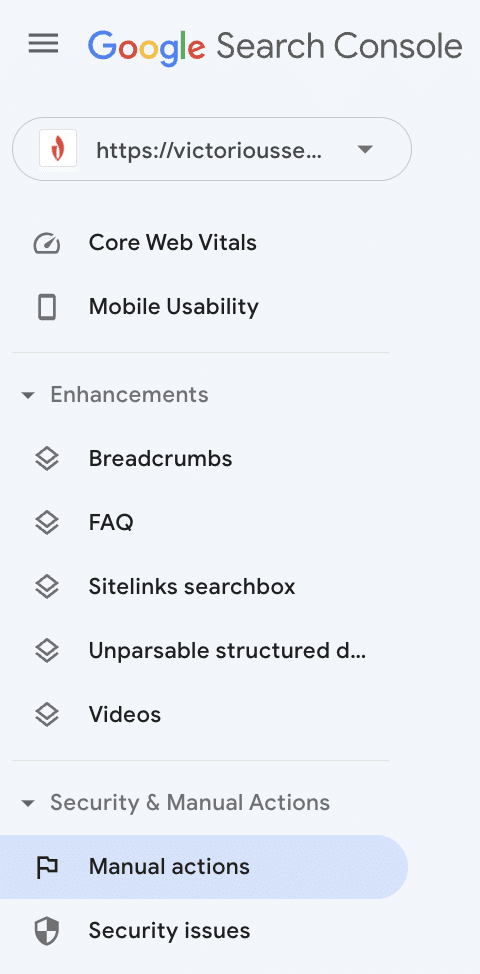
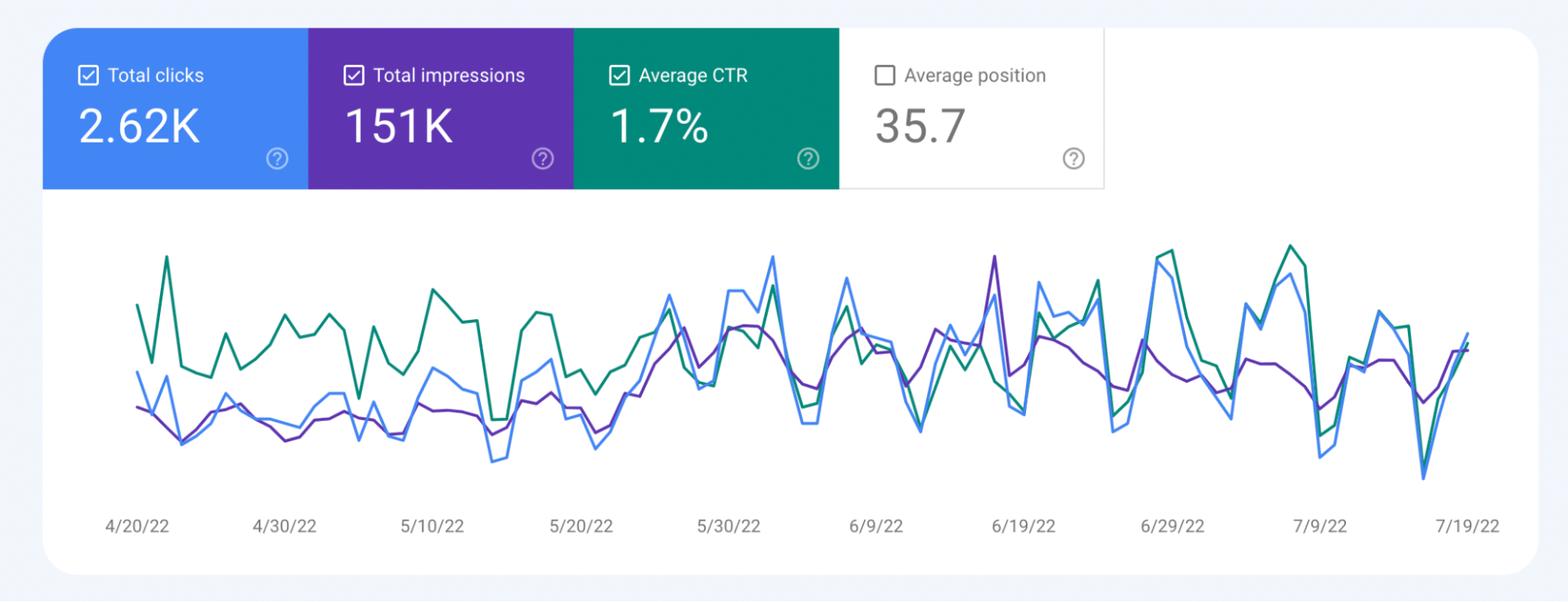
To see which keywords bring organic traffic, sign in to Google Search Console and select ‘Search results’ from the menu.
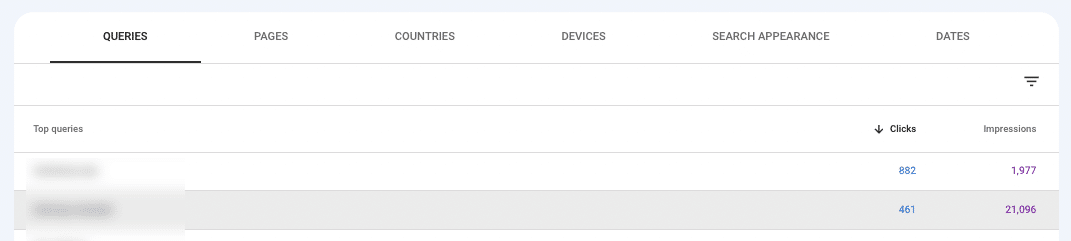
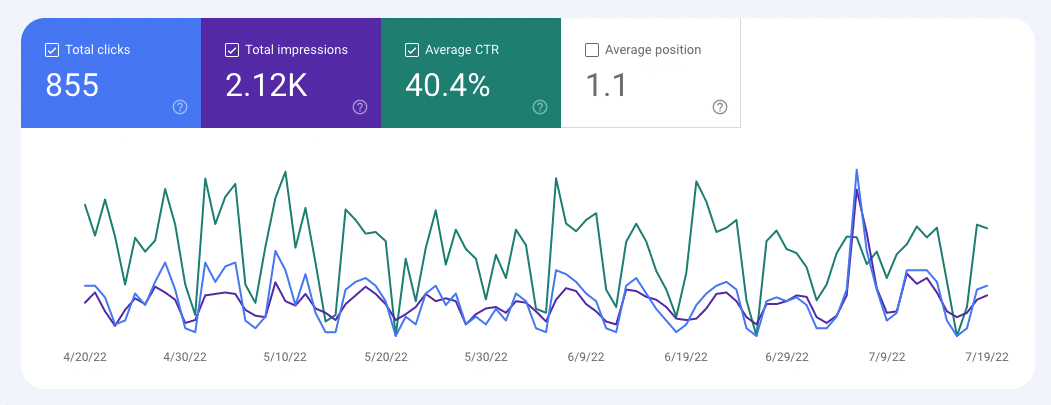
Beneath the graph highlighting clicks and impressions is a box that indicates the search queries people use to find your web pages. Make sure there’s a down arrow next to ‘Clicks.’ If not, click on the text so it appears and sorts the search terms by how many clicks they’ve received.
Click on a search term to learn more about it. The graph at the top will now provide click, impression, CTR, and ranking data for the selected term.
Alternatively, you can find which page is receiving the most clicks. Select ‘Search Results’ from the menu, and click on ‘Pages’ in the box below the graph.
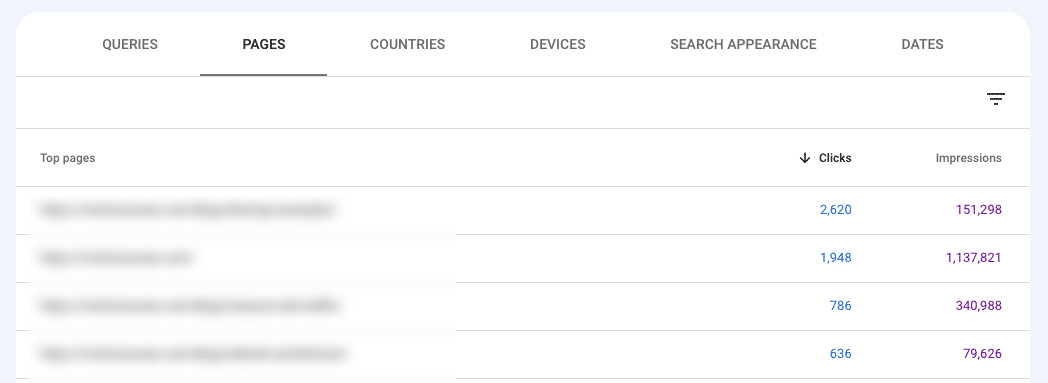
Find the URL you want to learn more about, and click on it. This will show you the metrics for that page.
Click on ‘Queries,’ and you’ll see the different search terms people use to find that URL via Google and their respective CTRs.
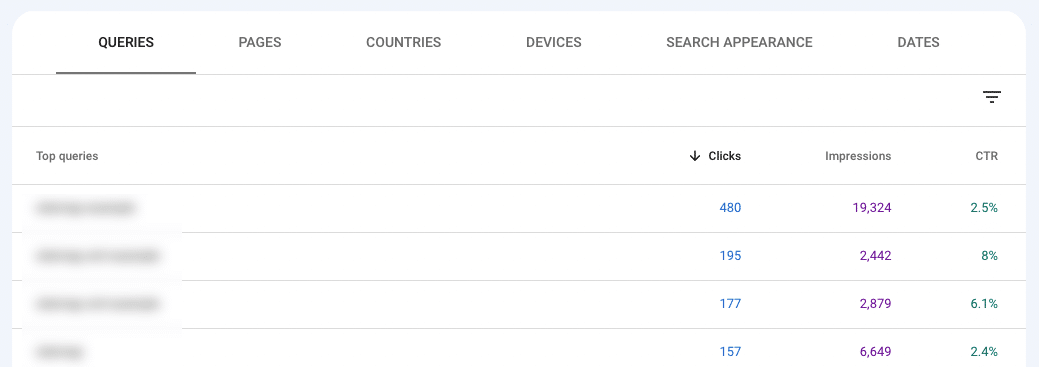
You can now sort by CTR. However, you may find that a particular term is only used once and that it has a CTR of 100%, which isn’t really useful. This is one of those moments when you’ll need to use discretion.
To filter out those queries, click the funnel and check ‘CTR.’
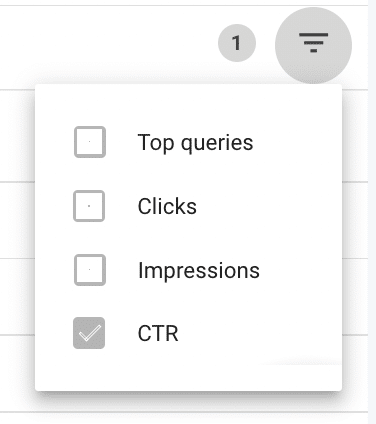
Next, select ‘Smaller than’ and enter a threshold. For this example, I chose 100. Then, click ‘Done,’

Now you can more easily comb through your keywords. Ideally, you’ll have a keyword with high clicks and a high CTR. If not, you may need to focus on improving the CTR or identifying if there’s a better keyword.
Watch for the mismatch cases, too. A keyword with strong CTR but a weak conversion rate usually means the page is attracting the right search but the wrong offer: the content promises something the page doesn’t deliver. A keyword with weak CTR but strong conversion once people land tells you the opposite problem: your title tag or meta description isn’t earning the click, even though the page itself converts well once someone arrives. The fix is different in each case, so don’t treat every underperforming keyword the same way.
Once you know which keywords are working best for you, you can further optimize your page around them. Cross-referencing the CTR with search volume data from a tool like Ahrefs or SEMrush can help you evaluate which keywords have the greatest potential to increase traffic.
Uncover High Converting Keywords With Google Analytics
Google Search Console tells you which keywords earn clicks. Google Analytics 4 (GA4) tells you what happens after the click: which pages and which entry points actually drive the actions you care about. Pair the two and you can trace a conversion back to the keyword that started it.
You’ll need at least one key event configured to look for high converting keywords. If you haven’t set that up, do it first (Admin > Events > mark an event as a key event), then give GA4 a few days to collect data before the reports below are useful.
See Which Pages Drive the Most Conversions
This view answers a simple question: across your whole site, where are conversions actually happening?
- Open Reports, then go to Engagement > Pages and screens.
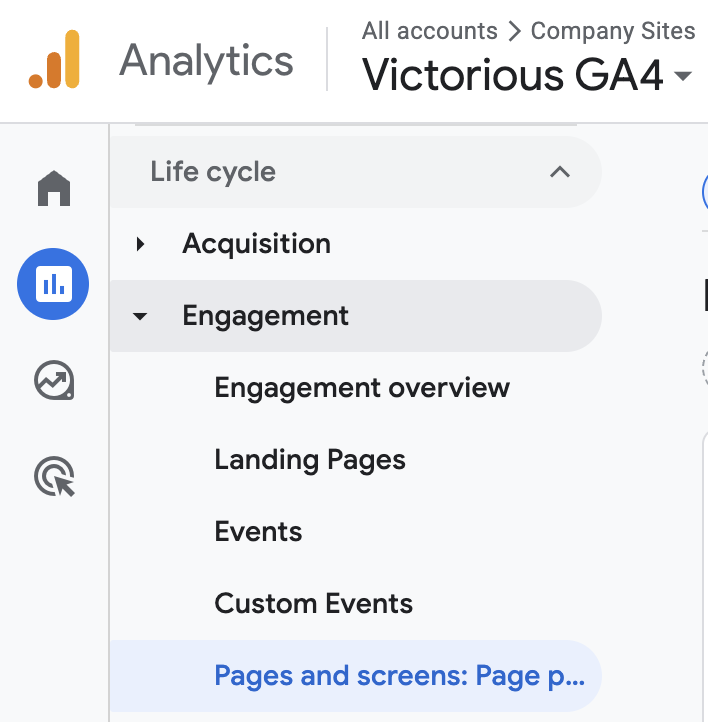
- Set the date range in the top right to a window with enough data to be meaningful, usually the last 90 days.
- Find the Key events column. By default it totals every key event together. To focus on one action, click the dropdown at the top of that column and select a single key event, such as generate_lead or purchase.
- Click the Key events column header to sort from highest to lowest.
- Read down the list. These are the pages where visitors complete your chosen action most often.
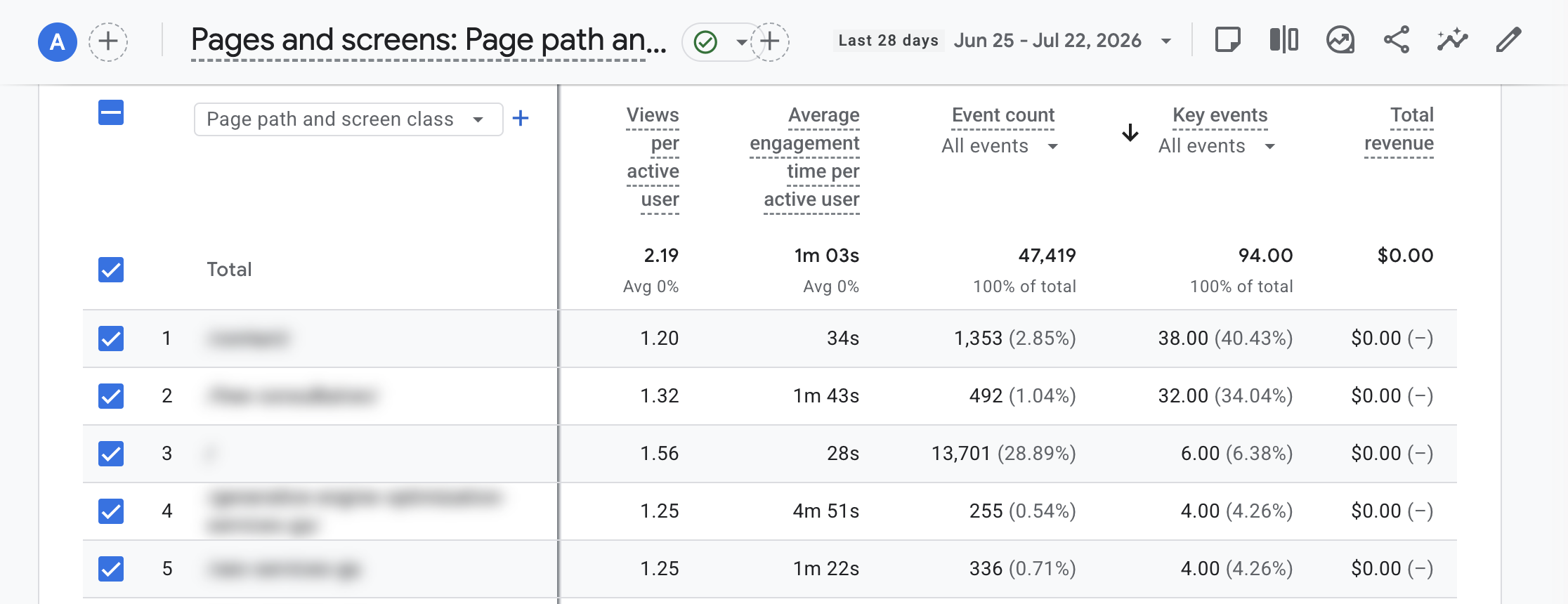
If the page paths are hard to read, switch the primary dimension from “Page path and screen class” to Page title and screen class using the dropdown above the first column.
One thing to keep in mind: this report credits the page where the key event fired, which is often further down the visit than the page someone first landed on. That makes it great for spotting your strongest converting pages, but it won’t tell you which entry point pulled that visitor in. For that, you want the landing page report.
See Which Landing Pages Convert, Broken Down By Channel
A landing page is the first page of a session, so it’s the closest thing GA4 gives you to “the content that brought this person in.” Breaking landing pages down by channel shows you which entry pages convert specifically from organic search, which is exactly where your keyword work pays off.
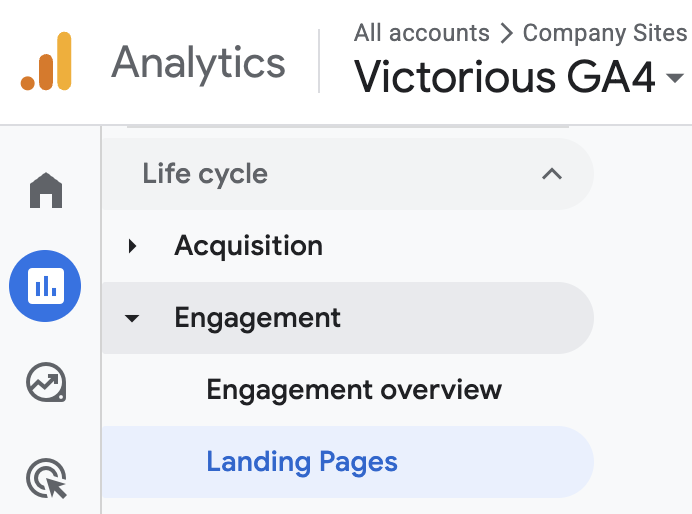
- Open Reports, then go to Engagement > Landing page.
- Set your date range.
- As before, use the dropdown at the top of the Key events column to pick the single action you care about, or leave it on all key events.
- Click the blue plus icon next to the “Landing page” column to add a secondary dimension. Choose Traffic source > Session default channel group. Each landing page now splits into rows by the channel that brought the session (Organic Search, Paid Search, Direct, Referral, and so on).
- Click the Key events column header to sort.
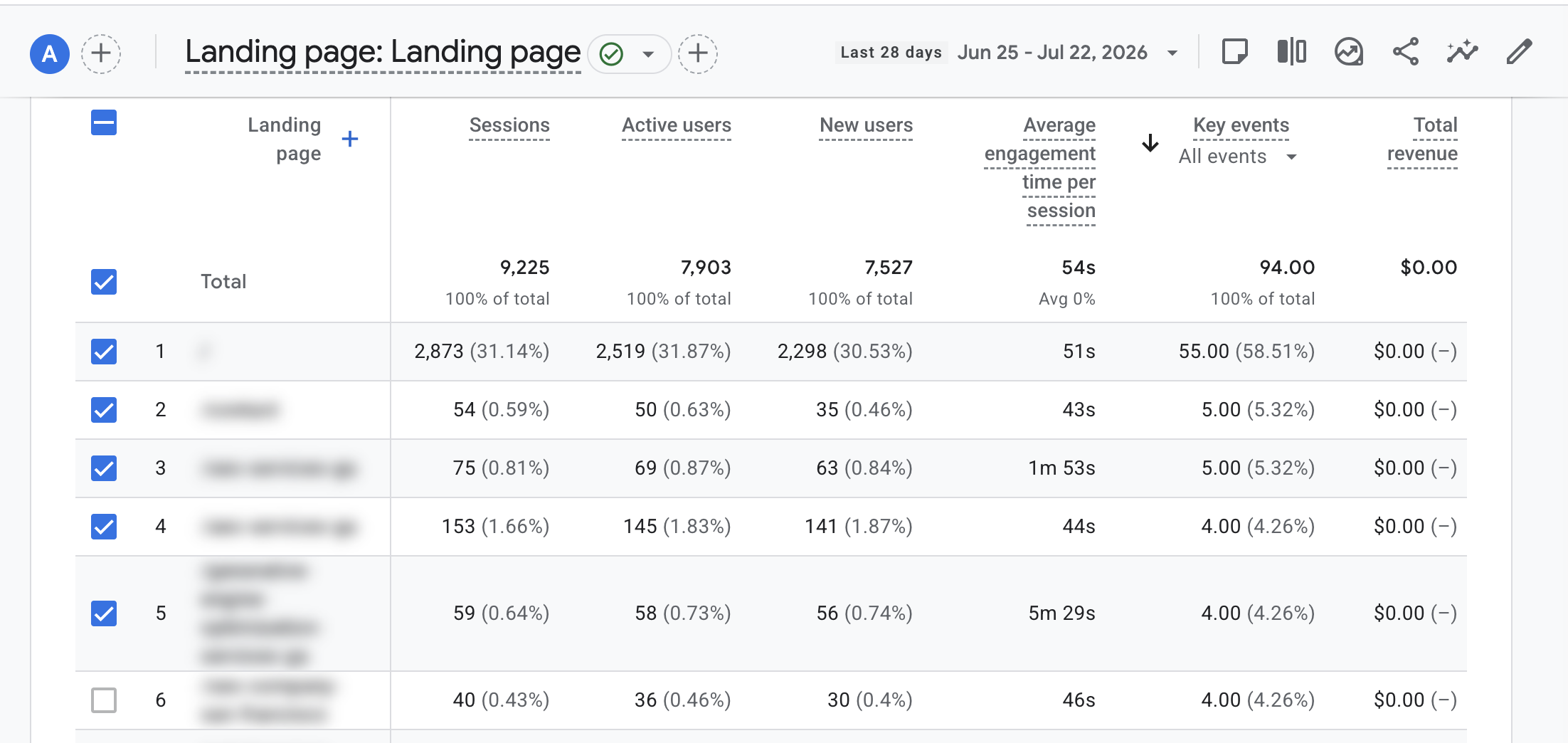
To isolate a single channel instead of scrolling through all of them, use the search box above the table and type the channel name, for example Organic Search. Now you’re looking only at the entry pages that convert from organic, ranked by how many conversions each one drives.
The session key event rate is worth watching here. A landing page with fewer sessions but a high conversion rate is often a bigger opportunity than a high-traffic page that rarely converts, because it means the intent behind that entry point is strong and a little more traffic goes a long way.
Turn the Data Back Into Keyword Decisions
Once you know which landing page drives the most organic conversions, return to Google Search Console, open that page, and click Queries to see the search terms bringing people to it. Those are your proven converting keywords: the ones worth optimizing the page around, building supporting content for, and prioritizing in future research.
Recommended Reading
Identifying New High Converting Keywords
If your keywords don’t seem to perform well, it’s time to seek out new ones.
1. Complete Keyword Research for Your Industry
Understanding what keywords your customers (and your competitors) are using is crucial to fulfilling your objectives. Once you do, you can prioritize the ones you want to optimize your site for based on search volume, competition, and your business goals. Follow our tips for how to do keyword research to find appropriate keywords for your niche.
As you build out your keyword list, look at cost-per-click (CPC) data for the keywords your competitors already rank for. A high CPC is a direct signal of commercial intent: businesses only pay a premium for clicks on terms that reliably convert. If a competitor is paying a lot for a keyword they also rank for organically, that’s a strong candidate for your own content.
It also helps to think about exclusion, not just discovery. If you already have keyword or search-term data showing which queries reliably don’t convert (near-duplicate informational variants, mismatched personas), rule those out early so you’re not spending content effort chasing traffic that was never going to convert in the first place.
2. Focus on Search Intent
One of the best ways to hone in on high-converting keywords is to focus on the concept of search intent: the reason someone searches for a particular word or phrase. Understanding it can provide insight into how your customers use keywords, what type of content they’re looking for, and how you can provide it.
Search intent generally falls into four categories: informational, navigational, commercial investigation, and transactional. Our high-intent keywords guide breaks down each category with examples and goes deeper on how to identify intent from a keyword alone. Start there if you need the full framework.
Best of all, you don’t need sophisticated tools to determine search intent. If you’re unsure of the search intent associated with a specific keyword, google it and then study the types of pages ranking for it. Pay attention to what dominates the results: if product pages, pricing pages, and ads make up most of the first page, that’s a commercial or transactional query. If the results are mostly blog posts, guides, or forum threads, the intent is informational.
Make a note of the search intent so you can create content that aligns with it.
Also, if your keyword research indicates that you have been targeting the right keywords but aren’t getting clicks, look more closely at search intent. If your content doesn’t align with the search intent Google ascribes to that keyword, your page won’t rank well in SERPs. Rewrite your content following these guidelines and ask Google to recrawl your URL.
3. Identify Top-Ranking Content Types
Once you’ve identified search intent, look at the top-ranking content to determine whether you should create a landing page, a blog post, a video, or another form of content.
Ask yourself:
- What are the top-ranking pages providing readers?
- How is the information presented?
- Who are they creating content for?
By analyzing the competition’s content from a new perspective, you’ll get a better idea of what these top-ranking pages actually deliver.
4. Consider the Customer Journey
To maximize the effectiveness of your content, think about when a potential customer would come across it. When in their customer journey would they enter the search term you’ve chosen to target? Does your proposed offer align with where site visitors are in their customer journey?
For example, if you have a top-of-funnel piece with informational intent, does your offer align with that intent? Is your offer clear, obvious, and compelling for bottom-of-the-funnel pieces?
5. Plan Your Approach
Now that you’ve done your intel, it’s time to plan how you’ll create or update content that should rank in top converting searches.
These resources will help you use your keyword research to create landing pages and blog posts that drive traffic to your website.
Recommended Reading
- Landing Page SEO: Maximize Search Visibility & Conversions
- The Best Blog Post & Article Writing Template for SEO Optimized Content
- Why Updating Your Old Content is Critical (And How to Do It)
- 13 Tips to Create Great Posts with Content Marketing Research
- How To Optimize Existing Content with SEO Best Practices
- Writing a Blog Post That Generates Organic Traffic
How AI Search Changes What “Converting” Means
Finding a high-converting keyword used to mean one thing: getting a click that leads to an action on your page. That’s still true, but it’s no longer the whole picture. AI Overviews, ChatGPT, and Perplexity increasingly answer commercial and transactional queries directly in the search or chat interface, sometimes citing a source before the searcher ever reaches a traditional results page.
This means a keyword can influence a buying decision, and a business’s inclusion in that decision, without producing a click at all. If your brand is cited as part of an AI-generated answer to “best [category] software” or “[product] vs. [product],” that’s a conversion-adjacent event even when your analytics show nothing.
Answer engine optimization (AEO) and SEO work together here. The same on-page clarity that helps a page rank (clear definitions, direct answers, well-structured comparisons) also makes it easier for AI systems to cite that page as a source. When you’re optimizing a page around a high-converting keyword, structure the content so the key comparison or recommendation is stated plainly near the top of the section, not buried in supporting
Need Help with Keyword Research?
Finding the right keywords to optimize around can be confusing and exasperating. Instead of wasting time on trial and error, use Victorious’s expertise to propel your most crucial web pages to the first-page search results. Our keyword research services support our customers’ growth goals. Schedule a free SEO consultation to learn more.